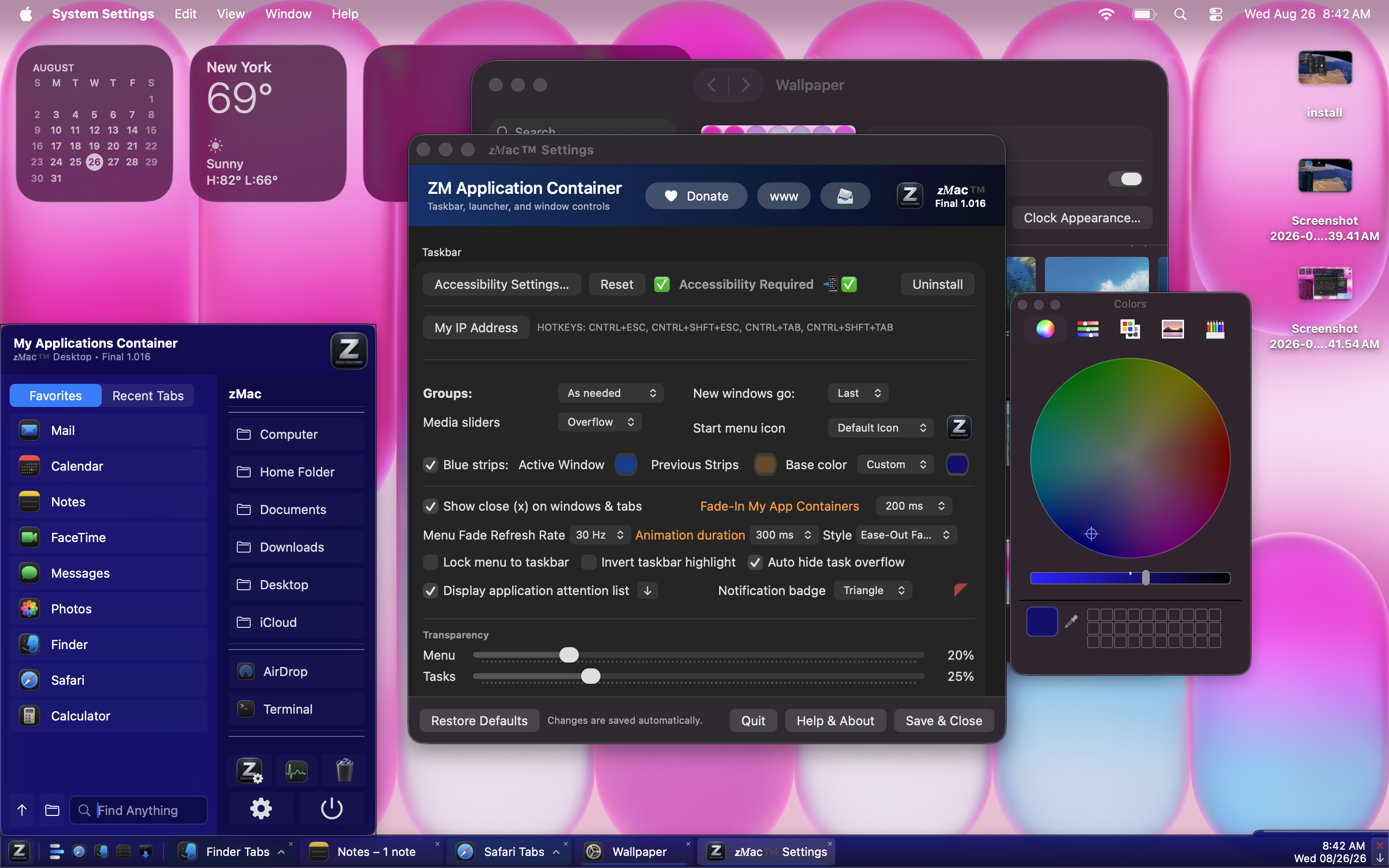
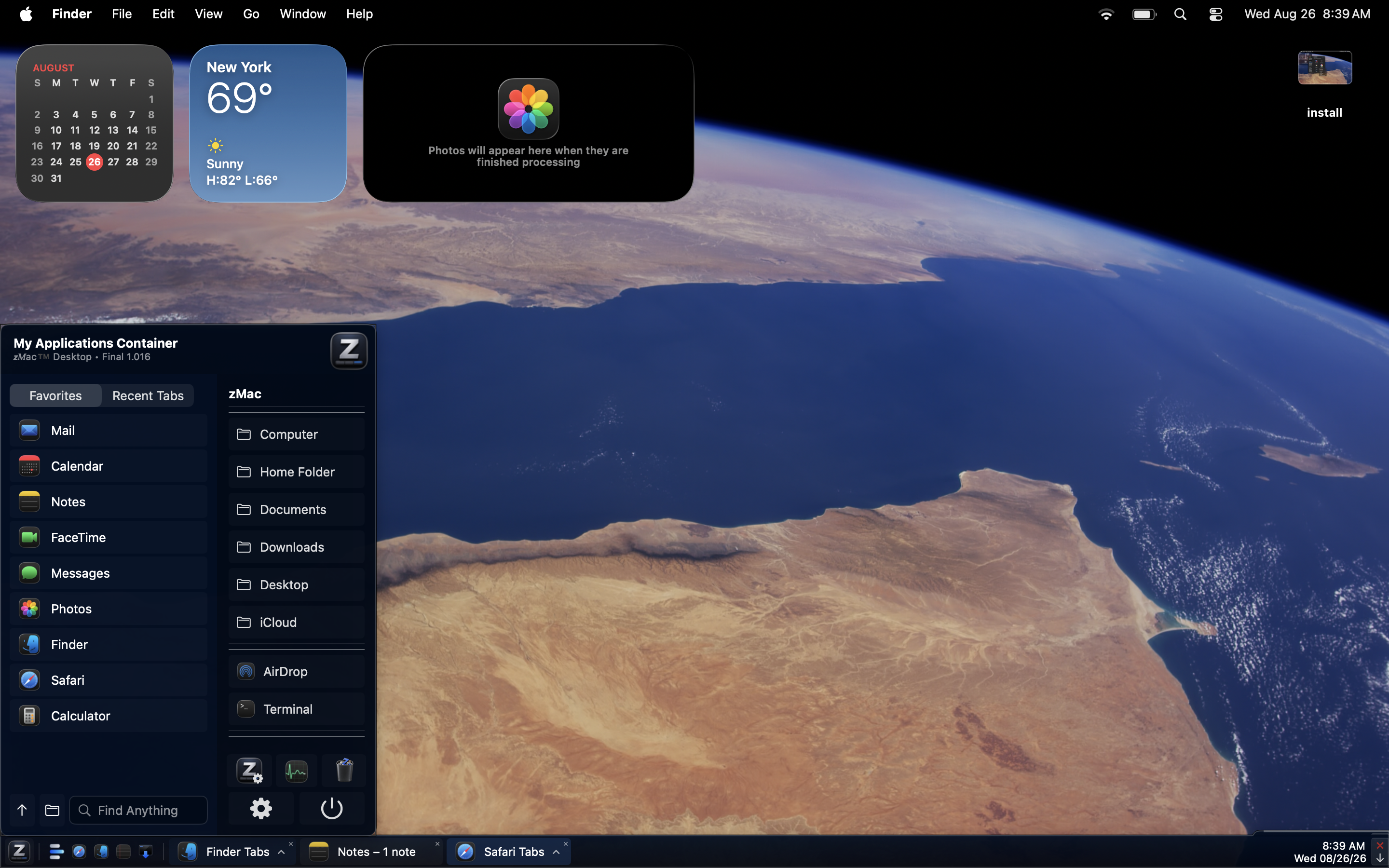
The Dock was missing something.

My Applications Container

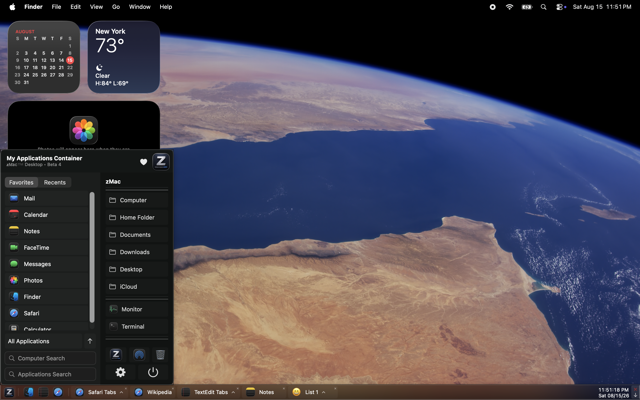
zMac adds a desktop taskbar and Start Menu-style applications container to macOS, with window tabs, pinned apps, groups, folders, Quickly Launch shortcuts, application switching and auto-hide — while leaving macOS itself in charge.

Join the zMac discussion on the MacRumors forums for updates, feedback, questions and feature discussion: MacRumors zMac discussion thread
zMac taskbar and applications container running on macOS

A different way to work on a Mac... The same way you already know...

zMac is for people who like visible control over running windows and frequently used applications with a taskbar and start menu, intended to be used with the Dock. While it could be a complete replacement, that was not the primary purpose of designing this application.

Taskbar Window Tabs

Keep running applications and their windows visible along the desktop edge instead of relying only on the Dock or app switcher.

Applications Container

A Start Menu-style home for favorites, recent apps, all applications, searches and useful Mac locations.

Quickly Launch

Pin the apps and shortcuts you use most for immediate access directly from the taskbar.

Groups & Folders

Organize applications into useful groups and folders instead of treating every app as an isolated icon.

App & Window Switching

Taskbar tabs provide another practical way to move among open applications and windows.

Auto Hide

Keep your workspace clean when you want it and bring zMac back when you need it.

Notification Highlights

Highlights taskbar items when an application needs your attention, making notifications and activity easier to spot.

Tab Control

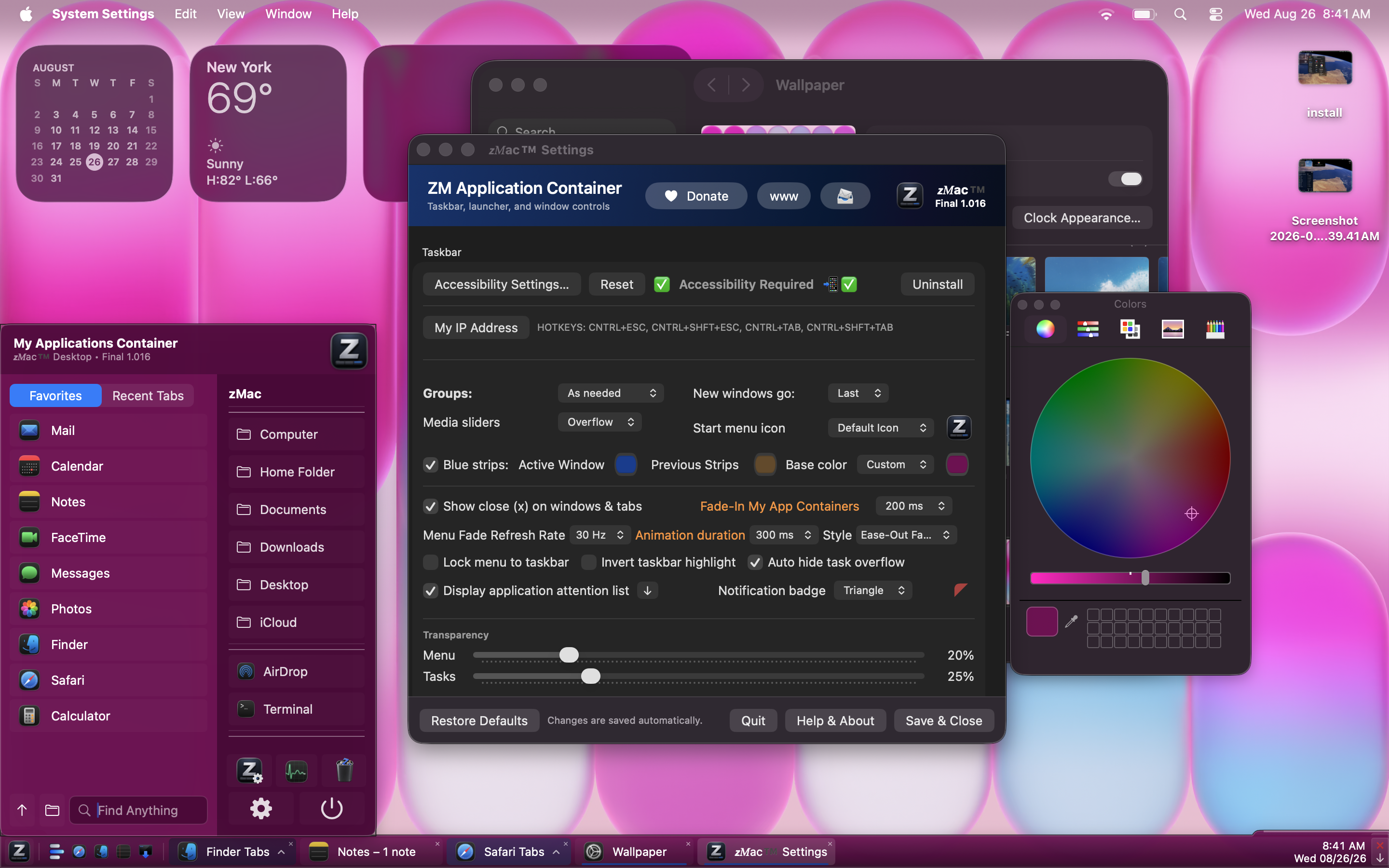
Rearrange windows and tabs, groups, dock overflow when space runs out, and many selectable settings and options.

Volume & Brightness Mouse Wheel Control

Display controls for adjusting volume and brightness with mouse wheel input and slider-based adjustment options.

Adjustable Transparency Controls

Customize transparency levels for the zMac taskbar and the applications container menu.

Keyboard Shortcuts

CNTRL+ESC opens the zMac menu. SHFT+CNTRL+ESC opens System Monitor.

Default and Temporary Color Picker for Window Tabs and Groups

Choose default colors for window tabs and groups, with temporary color changes available when you want them.

NO DATA COLLECTED

zMac does not collect, store, upload or transmit personal information, analytics, advertising identifiers or tracking data.

FREE (Donation)

zMac is free for personal use and Beta testing. Donations are not required.

Quick Start

Watch the Quick Start directly here, or download the original video to keep locally.

Quick Start · zmac.movDownload Video

Simple permissions. No tracking.

zMac uses only the macOS permissions required for the features you choose to use.

Permissions & Privacy

  • Accessibility: used for zMac's window-tab and window interaction features.
  • Finder folder access: if you use a built-in shortcut to a protected Finder location, macOS may ask you to allow access to that folder.
  • No personal information is collected, stored, uploaded or transmitted by zMac.
  • No analytics, ads, advertising identifiers or tracking.
  • No user data is sold or provided to advertisers.
  • zMac does not contact the internet during normal app operation.
  • The distributed app is intended to be a clean build with no hidden components, back doors, adware or intentionally malicious code.

Why I made zMac

I like macOS, but I felt the Dock was missing a fundamental set of desktop features — particularly a persistent taskbar-style view of open windows and a more complete place to organize and launch applications. After looking for alternatives, I could not find one that worked quite the way I wanted, so I made my own.

zMac was not created to emulate, clone or copy another developer's work. It grew from my own preferences and the way I wanted to use my Mac. Similar concepts naturally exist in other desktop environments and utilities, but zMac is an independent personal project.

This is a personal application currently in beta, not commercial software. I am sharing it because it may be useful to other people who want the same kind of workflow.

I have used donateware over the years and have always appreciated the idea: make something useful available without putting it behind a pay wall that the user cannot even use before a purchase, and simply let people contribute if they find value in it without actually buying a software license. Publishing zMac the same way felt right. Donations are appreciated, but never required to download or use zMac.

zMac Beta

Try it on your Mac.

Download the current beta as either zMac.zip or the direct zMac.app. Features may change and bugs are possible.

Looking for a macOS taskbar, Start Menu or Dock alternative?

You may be looking for a macOS 26 or macOSX Start Menu, taskbar, Dock replacement, Dock alternative, tab switcher or task switcher, window switcher, window manager, taskbar utility, app launcher, classic menu, "old school", taskbar keyboard shortcuts, applications container, Start Menu for macOS, or an alternative to uBar and other discontinued, overly minimal, or overly complicated Start Menu-style taskbars. zMac provides auto-hide, customizable application launching, taskbar window tabs and a simple but powerful desktop program manager designed for low overhead on modern Macs.

zMac is designed for modern Apple macOS systems, including Intel Macs and Apple silicon such as M1, M2, M3, M4 and newer generations, across MacBook, MacBook Pro, MacBook Air and Mac mini. Compatibility with unofficial or unsupported Hackintosh configurations is not guaranteed.

zMac is a new, free personal-use application currently offered for personal use and beta testing. It may be exactly what you have been looking for if you want a more intuitive desktop, easier application launching and a familiar way to identify specific application windows. Users coming from Linux, Microsoft Windows or other taskbar-oriented desktop environments may find the workflow familiar, but zMac is not an emulation, clone or copy of Windows, Linux, uBar or any other operating system or application. It is not meant to compete with or copy anything; it is simply filling a gap that I needed to fill.

If you arrived here searching for something like a Windows 7-style Start Menu for macOS or MacBook, a taskbar for Mac, a macOS Dock replacement, or a traditional desktop application launcher, zMac may provide many of the workflow features you had in mind while remaining its own independent macOS application.

Questions, feature requests, commercial license requests and simple thank-yous are welcome. If zMac is useful to you, you can also buy me a cup of coffee by making an optional donation. zMac is donateware / freeware for personal use and beta testing only. Commercial use requires permission or a commercial license.